



On-Demand eLearning
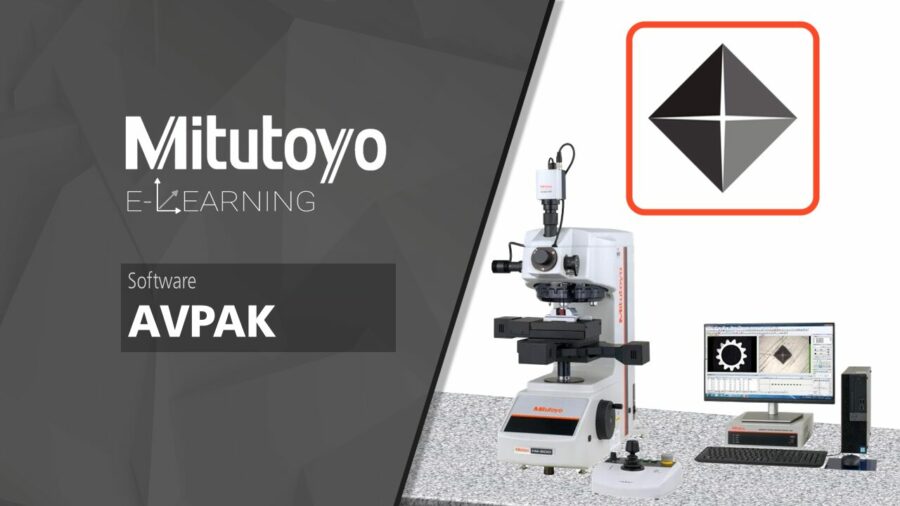
EDU-M277: AV PAK Basic Training
$40.00
Mitutoyo America’s eLearning Courses are designed to give end-users unique, active learning experiences with tools and gages of all varieties. With these unique educational experiences, end-users can open the door to quality and extend the life of their tools with proper use, care, and replacement procedures. Courses are designed by our employees and certified through strict calibration practices and procedures, to combine accuracy and safety through all courses. These courses cover common practices, proper measurement procedures, and detailed operations for more experienced users. Digital versions of the tool are available for visual reference, but it is recommended to have the tool or gage available during the course.
Prerequisites:
There are currently no prerequisites for this course.
Course Materials:
Mitutoyo end users will experience the powerful AV PAK software in this eLearning course, outfitted with a Mitutoyo Vickers Hardness Tester. Users will learn about the basic functionality of their Vickers Hardness Tester before exploring the AV PAK Software Interface. From the customizable interface layout to designing their output reports, users who pass the proficiency quiz will know how to write expanded part programs with detailed data reports.
The following topics are covered in this course:
1) System Overview
Get acquainted with your new machine! Follow along with a brief machine introduction as we highlight the machine components and software features that users will need to know prior to operating. Once you’ve been introduced, learn how to safely power on and off the machine and software before highlighting the controller used to operate the auto-stage.
2) Measurement Setup
Now that we can turn on the machine and operate the stage, we can learn how to adjust the machine settings to prepare for a measurement. Users can learn how to adjust the focus, lighting, change measurement units, even operating the auto-stage unit via software controls!
3) Simple Test Wizard
With the machine prepared for measurements, users will walk through the Simple Test Wizard to understand the process of creating a measurement program. Tolerancing is available for this measurement. Once the measurement is complete, users will learn how to adjust the test result table to their desired output data, remeasure a result, or add more measurement tests to their current data report.
4) Pattern Test Wizard
The main difference between the Simple Test Wizard and the Pattern Test Wizard is the use of a measurement pattern. Users are prompted to define and apply the measurement pattern parameters for their program. Tolerancing is available for the evaluation group. After running the program, users can learn how to convert test results to other hardness scales. Once you’ve learned how to run a single pattern test, users will then be challenged with a Multi-Pattern or Multi-Origin Pattern Test Program walkthrough.
5) Programs with Multiple Origins/Patterns
Not only can users build a Pattern Test, but they can build a program with multiple patterns or origins! Follow along with this example to learn how to apply various patterns to a repeatable part program.
6) Report Templates
Data acquisition is critical when performing hardness tests, and AV PAK has multiple avenues to utilize! Learn how to output a custom data report through the AV PAK interface, adding measurement result data, captured images of each indentation from your measurement program, and exporting your Layout File to a PDF. Users can also export measurement data via CSV or Excel.
7) Recalling/Playing Part Programs
Recalling a saved part program for playback has never been easier – learn how to save, load, and replay a previously saved part program from your machine.
8) AV PAK Proficiency Quiz
A certificate of completion will be awarded to the end-user for passing the proficiency quiz at the conclusion of the course. Users have unlimited attempts at the quiz.
- Class type: On-Demand eLearning
- Course code: EDU-M277