



eatures
Rigid and precise by design
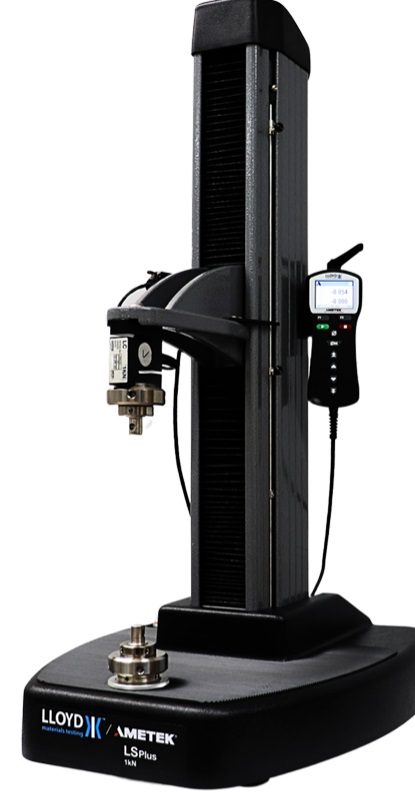
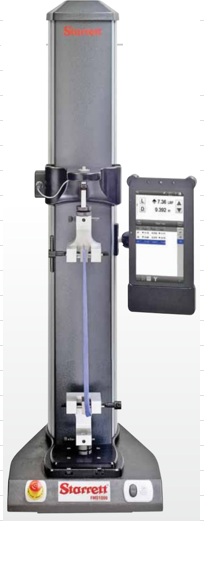
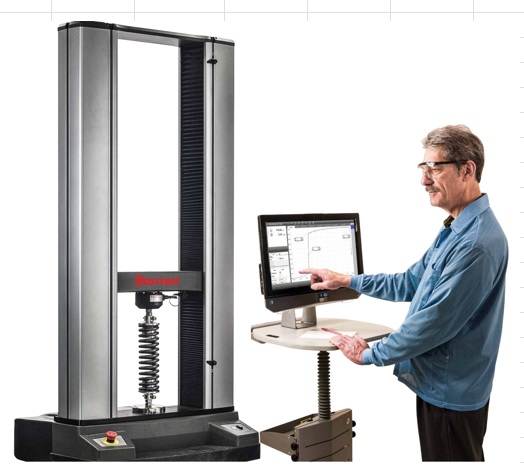
Exceptionally rigid frames feature custom extrusion designs, engineered for stiffness. Factory compensation of test frames and force sensors ensure position accuracy of ±0.006 in / 0.15 mm under any load, at any position.
Stepper motors and controllers drive a ballscrew and linear guideway for smooth, quiet operation, with virtually no speed variation under load.
Conveniently modular
Frame bases can be removed to accommodate column extensions and alternative mounting configurations. Most electronics are housed in a self-contained enclosure, easily accessed and replaced if needed. Integrated T-slots along the column accommodate add-ons.
Limit switches
Solid-state upper and lower limit switches may be used as test limits or as test exceptions. Dual-graduated rulers aid in switch placement.
Seamless force sensor interface
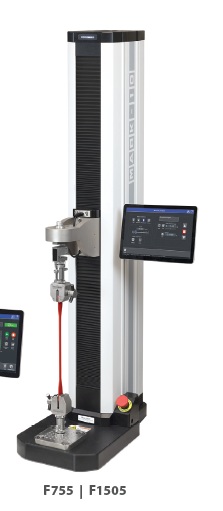
Series FS05 smart force sensors mount directly to the crosshead of models F105, F305, F505, and F505H, without any connection cables. Ranges available from 0.12 to 500 lbF [0.5 N to 2.5 kN]. Accurate to ±0.1% of full scale.
Series FS06 S-beam type force sensors mount to models F105, F305, F505, and F505H, recommended when using heavy and bulky grips. Ranges available from 50 to 500 lbF [250 N to 2.5 kN].
Easy-to-service electronics
Most electronics are housed in an integrated module, easily replaced without special tools or processes.
EasyMESUR®
The EasyMESUR® integrated control panel centralizes test setup, test frame control, and data collection into one convenient place. Use the 7” touchscreen to create and run a wide range of tests, including:
Test to a load
Test to a sample break
Test to a distance
Load holding
Cycle testing
Average force testing
View data in graphical format or results tables. Save or export data as needed, or generate a report.
Whats your point of view?
Run a test via the Standard, Graph, or Results views, and switch views as needed. Pass / Fail indicator easily identifies problematic samples.
Standard View – View large-format load and distance values, with pass/fail status.
Graph View – View a graph of load vs. distance or time, with pass/fail status
Results View – View results for each run, with corresponding statistics for the results.
Test setup is easy as 1-2-3
Basic tests
Load Limit Distance Limit Break Limit Load Hold Cycle Averaging
Basic Test Settings
Test direction
Speed
Test-specific parameters
Data save preferences
Results Settings
Select results
Enable and configure pass/fail limits
Set data collection rate
Set auto-return to home
Graph Settings
Single-point vs. continuous graphing
Set load vs. time or vs. distance
Graphing start threshold
Robust data acquisition and management
Blazingly fast
Force sensor sampling rate of 5,000 Hz yields accurate peak measurements even in quick-duration events. EasyMESUR® collects load and travel data at up to 100 Hz, and allows up to 100,000 data points per run.
Customizable reporting
Print or create a PDF report, including results, statistics, graph, system and user information, and comments.
Create report templates to save with future reports.
Save or export data
Save individual runs and results to a USB drive or internal storage within the control panel. Results sets and data from individual runs may also be exported as .csv files.
Intelligent manual control
Manually control the test frame to obtain quick load and distance results, or manually position the crosshead prior to a test. Select from several actuation methods, including momentary (button-hold), maintained (button release) motion, jog mode with three distance presets, and FollowMe® force-based positioning.
Push and pull on the force sensor to move the crosshead. Apply greater load to achieve faster motion. FollowMe® is responsive enough for quick positioning as well as fine adjustments.
Calibrate force sensors on the test frame or off-site
Calibrate sensors in one of two ways:
Test frame
EasyMESUR® provides an integrated utility, with an intuitive step-by-step wizard. Manual controls allow the technician to use the test frame to apply tension and compression forces. Off-site
Conveniently remove the force sensors for off-site calibration with a Mark-10 Model M7I or M5I indicator (requires optional AC1083 adapter).
Secure user access
Control user access to sensitive areas, such as test editing and calibration via password.
Packages
Package Part No. Includes
Distance Measurement EMP001-1
Distance Measurement (EMF001-1)
Distance Limits (EMF002-1)
Preload (EMF003-1)
Speed Extension EMP002-1
High Speed Extension (EMF004-1)
Low Speed Extension (EMF005-1)
Advanced Functionality EMP003-1
Cycling (EMF006-1)
Break Detection (EMF007-1)
Load Holding (EMF008-1)
FollowMe® (EMF009-1)
Complete Options EMP-COMP-1 All functions