



On-Demand eLearning

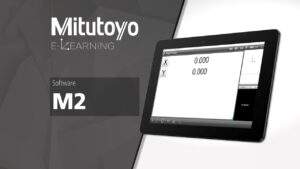
STM-210: M2 Software Introduction
$40.00
Mitutoyo America’s eLearning Courses are designed to give end-users unique, active learning experiences with tools and gages of all varieties. With these unique educational experiences, end-users can open the door to quality and extend the life of their tools with proper use, care, and replacement procedures. Courses are designed by our employees and certified through strict calibration practices and procedures, to combine accuracy and safety through all courses. These courses cover common practices, proper measurement procedures, and detailed operations for more experienced users. Digital versions of the tool are available for visual reference, but it is recommended to have the tool or gage available during the course.
Prerequisites:
There are currently no prerequisites for this course.
Course Materials:
In this eLearning Course, Mitutoyo end users will be introduced to the Metlogix M2 box that is now available on select Mitutoyo gages. Learn about the basic functionality of the M2 box, and how it can help elevate your measurement procedures and data collection. Be sure to select the correct software version on your operating system before diving into a detailed software overview starting with interface layout, all the way to creating part programs. New users can learn how to get up and running with their M2, while experienced users can add to their expertise when utilizing this powerful software.
The following topics are covered in this course:
1) Software Interface & M2 Settings Overview
In this section, users will navigate through the various measurement windows to learn about the different functions within the software and how to apply them to your measurements.
2) Edge Detection & Measurement Setup
Before measuring, users will be introduced to the Optical Edge Detection units available for some measuring system, and how to calibrate the measuring system before programming.
3) Creating a Coordinate System
Once calibration procedures are complete, users will learn how to create a new coordinate system in the M2 Software.
4) Perform Measurements
After creating a coordinate system, users will be able to user their part prints to draw features and input various characteristics. This section will teach users how to apply those measurements.
5) Tolerance Features
After measuring features, follow along with this walkthrough to learn how to apply various tolerances to your measurement program.
6) Output Results
After completing your measurements and applying your tolerances, it’s time to report your data. This section will teach you how to export your data for your data management sytem.
7) Part Program Creation
It’s time to tie it all together – put your knowledge to the test and follow along as we build a part program from start to finish with our demo block. Even learn how to edit and repeat programs!
8) M2 Software Proficiency Exam
Pass our Proficiency Exam to earn your Mitutoyo eLearning certificate. Users have unlimited attempts at the exam.
- Class type: On-Demand eLearning
- Course code: STM-210